
 Connectors




On this page
Claude connectors are integrations that let Claude use outside tools through MCP. For support teams, the useful ones are your helpdesk (Intercom, Front, Plain, Pylon), your error tracker (Sentry, Datadog), your issue tracker (Linear, Jira) and billing (Stripe). You add them in Claude's connectors settings, or with claude mcp add in Claude Code.
"Claude connectors" is a broad search. People want to know which to add and how. Here's the support-team answer.
In this guide, I'll list the connectors worth adding for support, show how to add one in Claude desktop and Claude Code, and say when connectors stop being enough. 👇
Key takeaways
- Connectors are MCP servers: directory connectors are pre-listed; custom connectors take a server URL.
- Claude Code uses the same servers: add them with
claude mcp add --transport http <name> <url>. - Support's starter set: helpdesk + Sentry or Datadog + Linear or Jira.
- Each connector sees one product: Claude still has to stitch the answer together in chat.
- ✨ Supahelp is another option: a desktop app built to investigate a ticket across the same kinds of tools, on your own Claude plan, and to ask before any change.
What are Claude connectors?
Claude connectors let Claude call tools in other products, like searching Linear issues or listing Stripe charges, using the Model Context Protocol.
Some vendors publish official connectors in Claude's connectors directory; Datadog, for example, recommends its directory connector over a custom one. For others, you add a custom connector with the vendor's MCP server URL.
How do I add a connector in Claude desktop?
Open Claude's settings, go to Connectors, and add the tool from the directory, or add a custom connector with its MCP URL. You'll sign in to the tool in your browser.
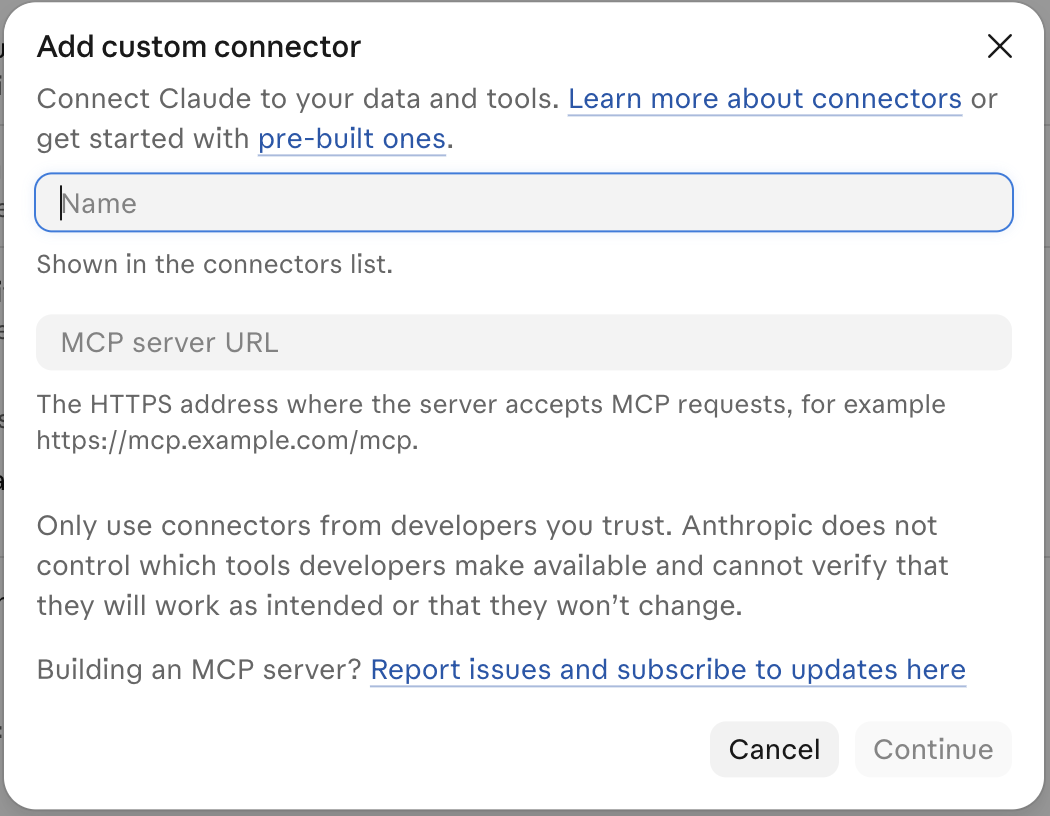
Linear's docs say Free and Pro users add Linear from Settings → Connectors in Claude desktop, and Team and Enterprise users from the connectors page.
How do I add MCP servers to Claude Code?
Run claude mcp add --transport http <name> <server-url>, then sign in when prompted. For example, Shortcut's docs give:
claude mcp add --transport http shortcut https://mcp.shortcut.com/mcp
Sentry recommends scoping the URL to your organization and project: https://mcp.sentry.dev/mcp/{org}/{project}.
The connectors worth adding for support
| Job | Connector | Server URL or route |
|---|---|---|
| Read the ticket | Intercom | mcp.intercom.com/mcp (US), mcp.eu.intercom.com/mcp (EU) |
| Read the ticket | Plain | mcp.plain.com/mcp |
| What broke | Sentry | mcp.sentry.dev/mcp |
| What broke | Datadog | Directory connector, pick your site |
| Already filed? | Linear | mcp.linear.app/mcp (or /readonly) |
| Already filed? | Atlassian (Jira, Confluence) | mcp.atlassian.com/v2/mcp |
| Money | Stripe | mcp.stripe.com |
| Incidents | PagerDuty | mcp.pagerduty.com/mcp |
Test tip: add one connector at a time and ask the same question each time: "What do you know about ticket #1234?" You'll see exactly what each connector adds.
Where connectors stop
A chat with five connectors can answer each question, but you're still the router: ask the helpdesk, then Sentry, then Linear, copy the results together, and write the reply. On a busy day that's most of the job.
Using your Claude plan with Supahelp
Supahelp is a desktop app built to run on the Claude plan you already have (or ChatGPT, or an API key) and to investigate a ticket across your tools in one case.
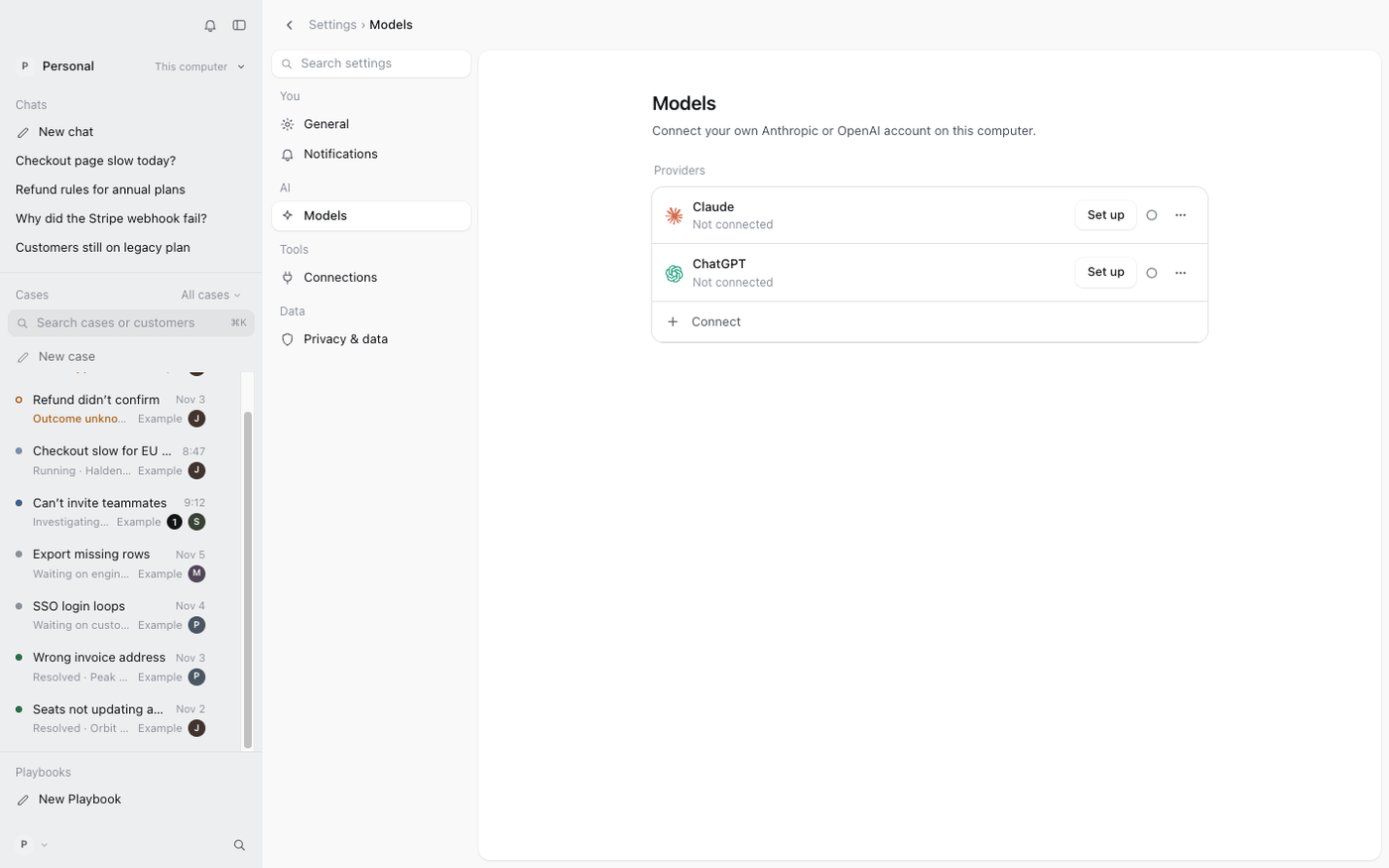
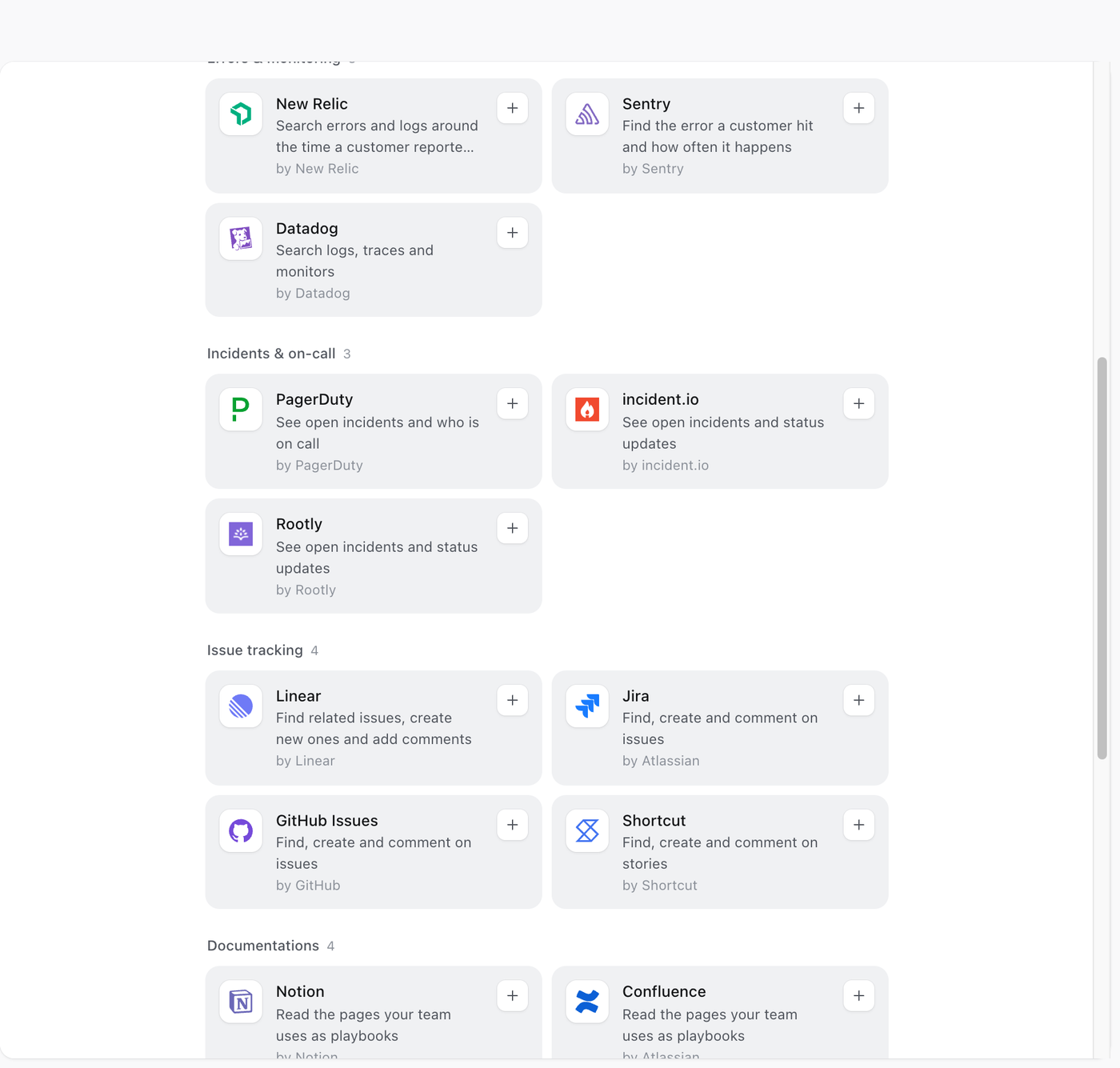
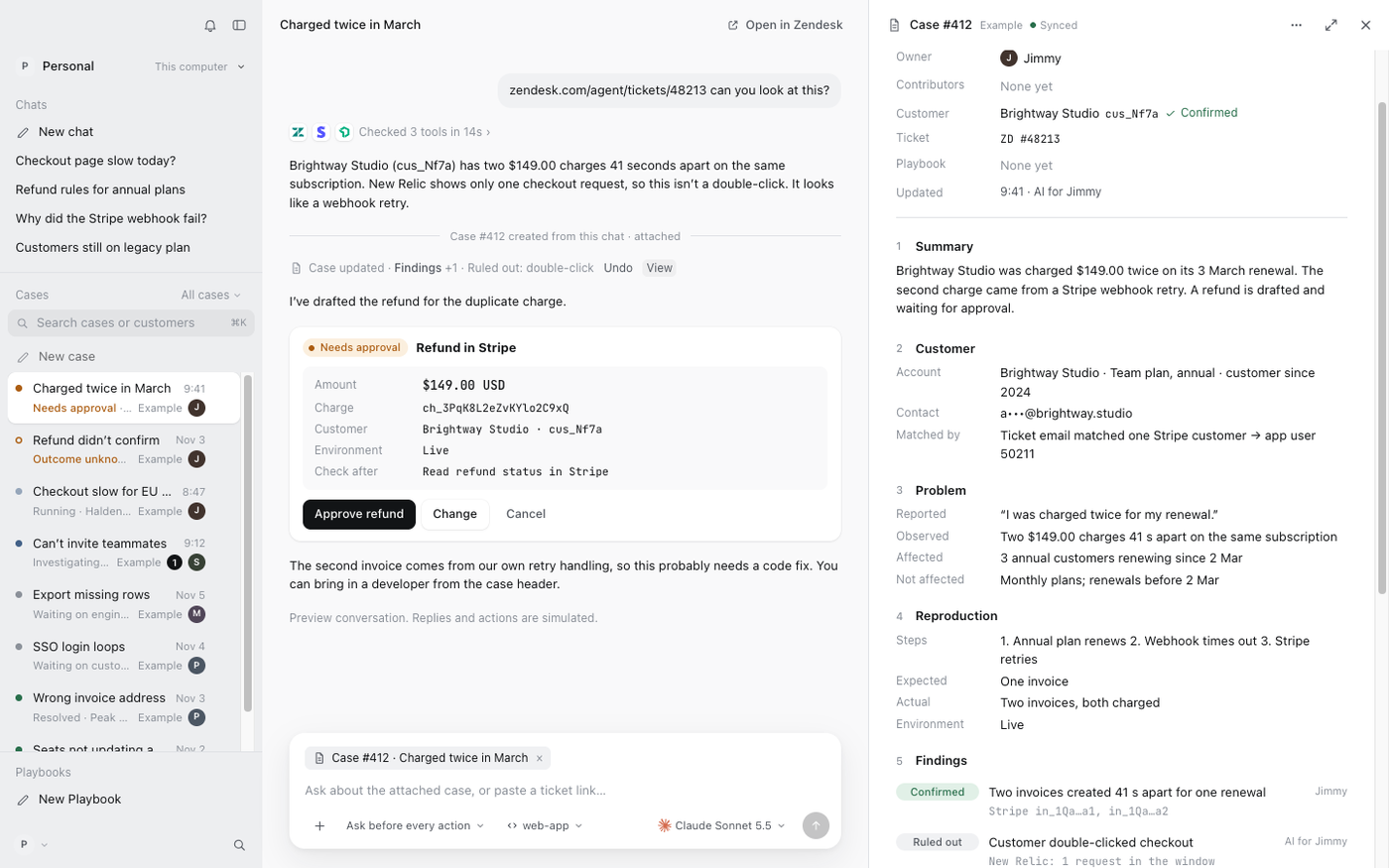
It's a desktop app for Mac and Windows. Its Connections settings list helpdesk, monitoring, issue-tracker and billing tools like the ones above. In the labeled example below, the chat checks three tools, saves its findings in a case document, and drafts a refund that waits for approval. Nothing is meant to change until you approve.
Pricing: free for personal use. Team plans and current prices are on the pricing page. No resold AI.
If you mostly ask single questions, Claude connectors are all you need. Supahelp is built for the tickets that need several connectors at once.
Conclusion
For support, add Claude connectors for your helpdesk, error tracker, issue tracker and billing, starting with official ones. Use claude mcp add in Claude Code and scope connections where vendors allow it.
When a ticket needs several of them, Supahelp is built to run the investigation on the same Claude plan. 👇
Sources (checked 2026-11-20): Linear, Shortcut, Sentry, Datadog, Intercom, Plain, Atlassian, Stripe and PagerDuty docs (see facts sheet).
Questions
Are Claude connectors the same as MCP servers?
Connectors are how Claude uses MCP servers. A directory connector is a pre-listed server; a custom connector is any MCP server URL you add.
Can I use Claude connectors on the free plan?
Availability depends on your Claude plan and the connector. Linear's docs, for example, list Claude desktop setup for Free and Pro. Check Anthropic's help center for current plan details.
How do I remove a Claude connector?
Remove it in Claude's Connectors settings, and revoke access in the tool too if you want to be thorough.
Can Claude Code and Claude desktop share connectors?
They're configured separately. Claude Code uses claude mcp add; Claude desktop uses its settings.
Founder of Supahelp, the desktop app built to check your helpdesk, billing, logs and code for a support ticket and to ask before it changes anything.
 Attio MCP