
On this page
L1 support answers common questions and gathers details. L2 support investigates technical problems with existing tools and knowledge: logs, errors, account data. L3 support handles problems that need deep product or code knowledge, often working with engineering on fixes. Each tier escalates to the next when it can't resolve the ticket with what it has.
Definitions vary by company, but the pattern holds. Here's what each tier does, with examples, and what's changing. 👇
Key takeaways
- L1 = answers and intake; L2 = investigation; L3 = deep diagnosis and fixes.
- Escalation should carry evidence, not just the ticket.
- Access defines the tiers more than skill: who can see logs, errors and code.
- AI with connected tools moves work down a tier: L2 can resolve what used to need L3.
- ✨ Supahelp is another option: it gives every tier the investigation, on your own Claude plan.
L1 vs L2 vs L3 at a glance
| L1 | L2 | L3 | |
|---|---|---|---|
| Main job | Answer, gather details | Investigate with tools | Diagnose deeply, fix with engineering |
| Example ticket | "How do I reset my password?" | "My export fails every time" | "Exports fail only for EU accounts after the last release" |
| Typical access | Helpdesk, help center | + logs, errors, admin panels | + code, infrastructure |
| Output | Resolution or clean escalation | Resolution, workaround or bug report | Fix, or a precise engineering task |
What does L1 support do?
L1 handles common questions and makes sure tickets that go further have the right details. Good L1 escalations include the account, the exact error and steps tried.
What does L2 support do?
L2 investigates technical problems using existing tools: logs, error trackers, account and billing data. It resolves or works around most technical tickets and escalates real product bugs.
What does L3 support do?
L3 handles problems that need deep product or code knowledge. It reproduces complex issues, reads code, and works with engineering on fixes. In some companies L3 is engineering.
What moves down a tier with AI
Much of L3's time goes into gathering evidence that L2 could use if it could reach it. With AI connected to the helpdesk, errors, logs, issues and billing, L2 can:
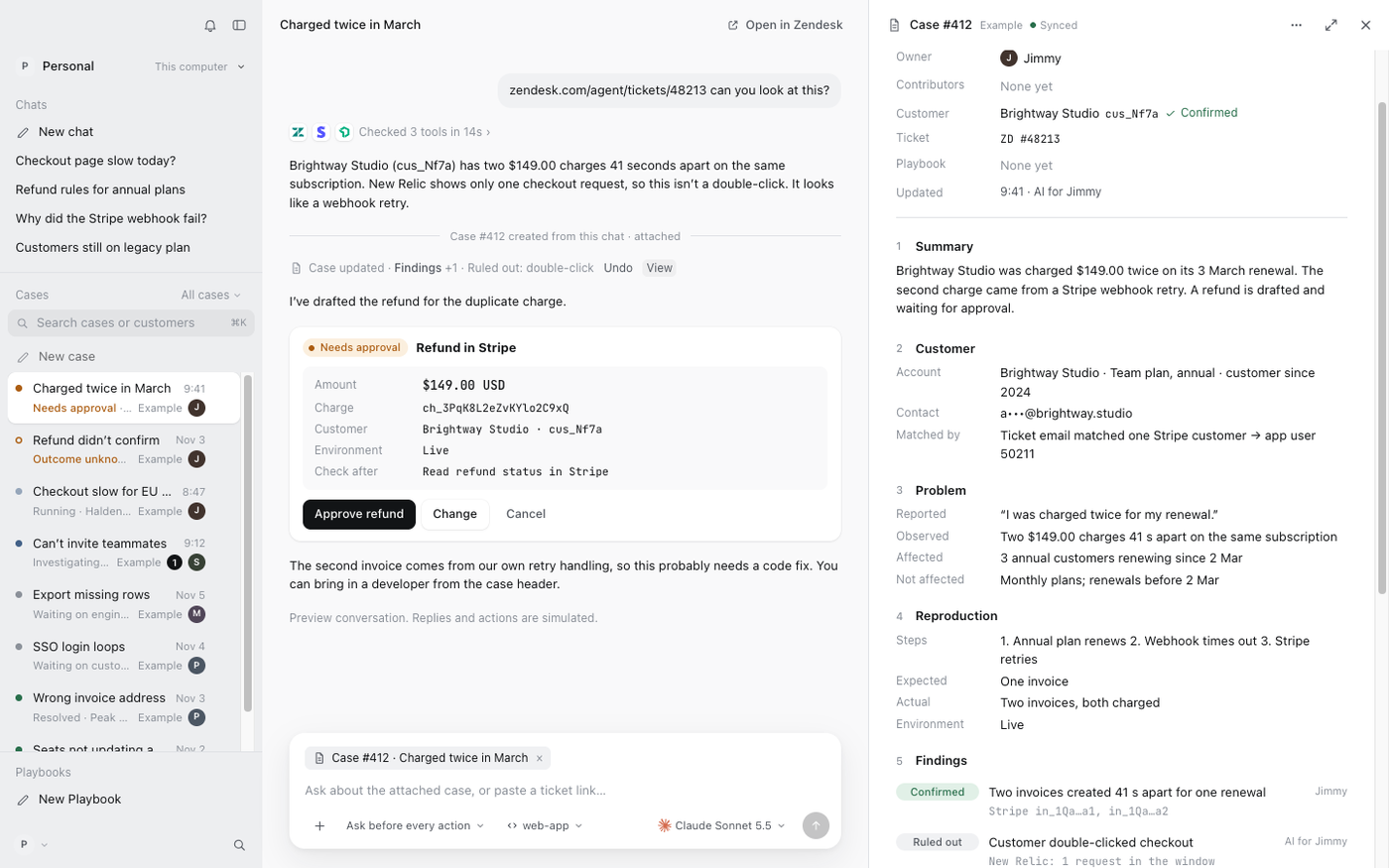
- Confirm a duplicate charge and find the retry behind it
- Match a customer's error to a known issue
- Check whether a deploy lined up with the first failure
That leaves L3 with the problems that really need a code change.
How Supahelp fits
Supahelp investigates tickets across your support and engineering tools on your own Claude or ChatGPT plan, and asks before any change. It's a desktop app for Mac and Windows.
Pricing: free for personal use. Team plans and current prices are on the pricing page.
Conclusion
L1 answers and gathers, L2 investigates, L3 diagnoses deeply. The line between them is mostly access to evidence. Give L2 the evidence, and much of what reached L3 gets resolved earlier. 👇
Questions
What is L2 support?
The tier that investigates technical problems using logs, errors and account data, and escalates real product bugs.
What is L3 support?
The tier for problems that need deep product or code knowledge, often working with engineering on fixes.
Is L3 the same as engineering?
Sometimes. In smaller companies, L3 is the engineering team; in larger ones it's a specialist support group.
Founder of Supahelp, the desktop app built to check your helpdesk, billing, logs and code for a support ticket and to ask before it changes anything.
 Ticket 48213

 Attio MCP
 Connectors