
 HubSpot MCP
On this page
HubSpot has two MCP servers. The remote HubSpot MCP server gives any MCP-compatible AI tool secure read and write access to your CRM data: contacts, deals, engagements and more. The local Developer MCP server is for building on the HubSpot Developer Platform through the CLI. Support teams want the remote one.
In this guide, I'll cover which server to use, what support can ask, and where CRM data stops helping. 👇
Key takeaways
- Use the remote server for support: it's the one that reads and writes CRM data.
- The Developer server is for builders: it works with the HubSpot CLI.
- Both require the latest Developer Platform version, according to HubSpot.
- CRM context is half the answer: who the customer is, not what broke.
- ✨ Supahelp is another option: it is built to connect HubSpot next to your logs, errors and billing tools, on your own Claude plan.
What is the HubSpot MCP server?
The HubSpot MCP server is HubSpot's remote MCP server that lets AI tools and agents securely read and write your HubSpot CRM data.
HubSpot frames it as giving your AI tool "the context of your HubSpot account": generating reports, querying data and writing records.
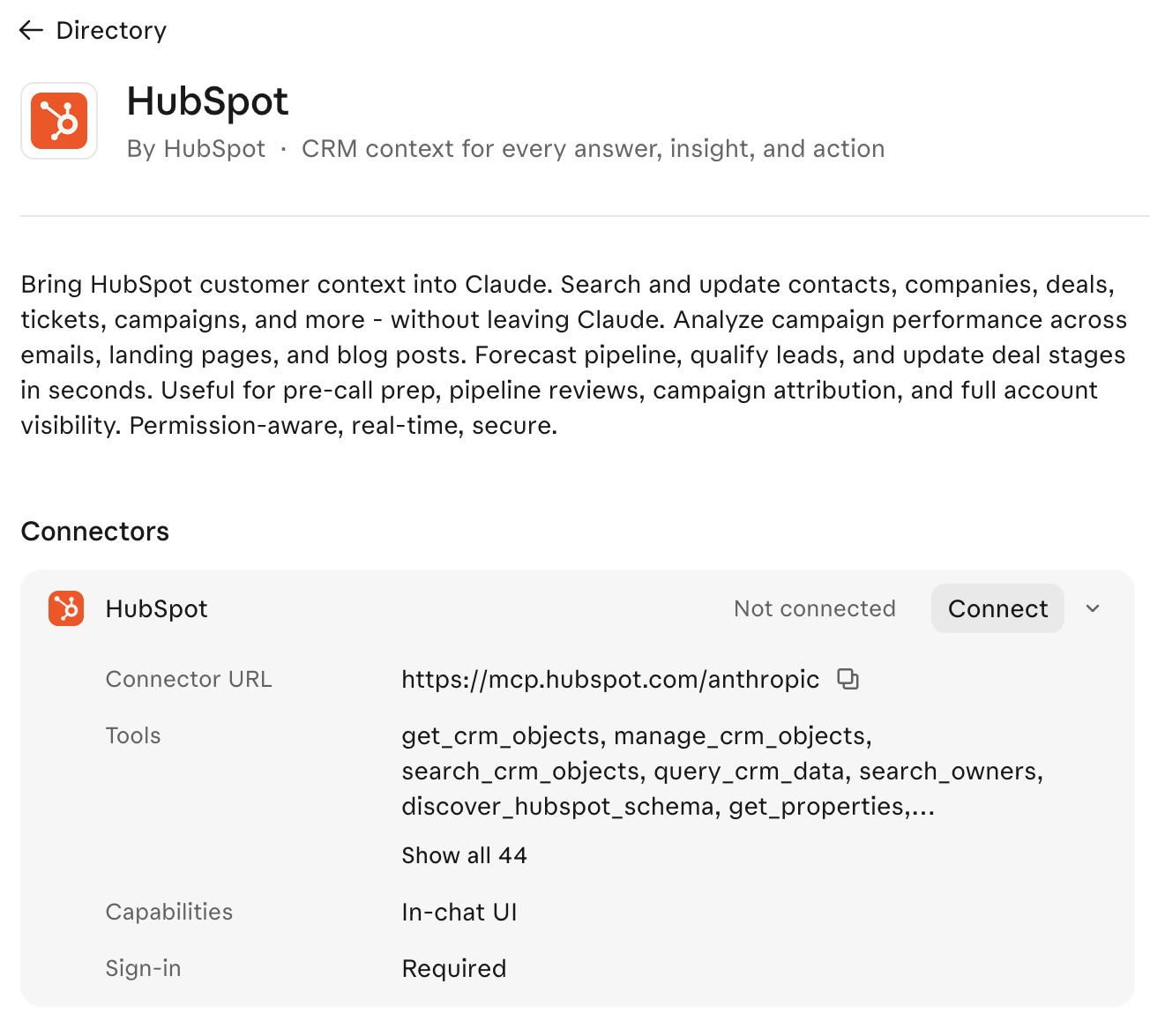
Test tip: ask for a contact owned by another team. If your HubSpot role can't see it, the assistant shouldn't either.
4 HubSpot prompts for support
- "What plan is Acme on, and who's their account owner?"
- "Show the last five engagements with billing@brightway.studio."
- "Is there an open deal for this company? Should sales know about this ticket?"
- "Log a note on the Acme company record summarising today's issue."
Where HubSpot stops
HubSpot tells you who the customer is and how much they matter. It doesn't tell you why their export failed or whether they were charged twice. That's in your logs, errors and billing.
Using HubSpot with Supahelp
Supahelp is built to connect HubSpot and HubSpot Service Hub through HubSpot's hosted MCP, alongside Sentry, Datadog, Linear and Stripe.
It's a desktop app for Mac and Windows that runs on your own Claude or ChatGPT plan, or an API key. It's built to read the ticket, pull account context from HubSpot, check the technical tools, and draft the reply and the CRM note for your approval.
Pricing: free for personal use. Team plans and current prices are on the pricing page.
Conclusion
For support, connect HubSpot's remote MCP server to give Claude CRM context. Leave the Developer MCP server to people building on HubSpot. When the ticket needs technical evidence too, Supahelp is built to combine both. 👇
Sources (checked 2026-11-20): HubSpot Developers, "HubSpot MCP Server".
Questions
What's the difference between HubSpot's two MCP servers?
The remote HubSpot MCP server reads and writes CRM data for AI tools. The local Developer MCP server helps developer tools work with the HubSpot Developer Platform through the CLI.
Can HubSpot MCP write to the CRM?
Yes. HubSpot describes read and write access to CRM data such as contacts, deals and engagements.
Does HubSpot MCP work with Claude?
It works with any MCP-compatible AI tool or agent, which includes Claude.
Founder of Supahelp, the desktop app built to check your helpdesk, billing, logs and code for a support ticket and to ask before it changes anything.
 Ticket 48213

 Attio MCP
 Connectors