Your public information about your product
Fully accessible help content for your customers. Supa, your AI support agent, uses it to answer customers, so you have one less support request.
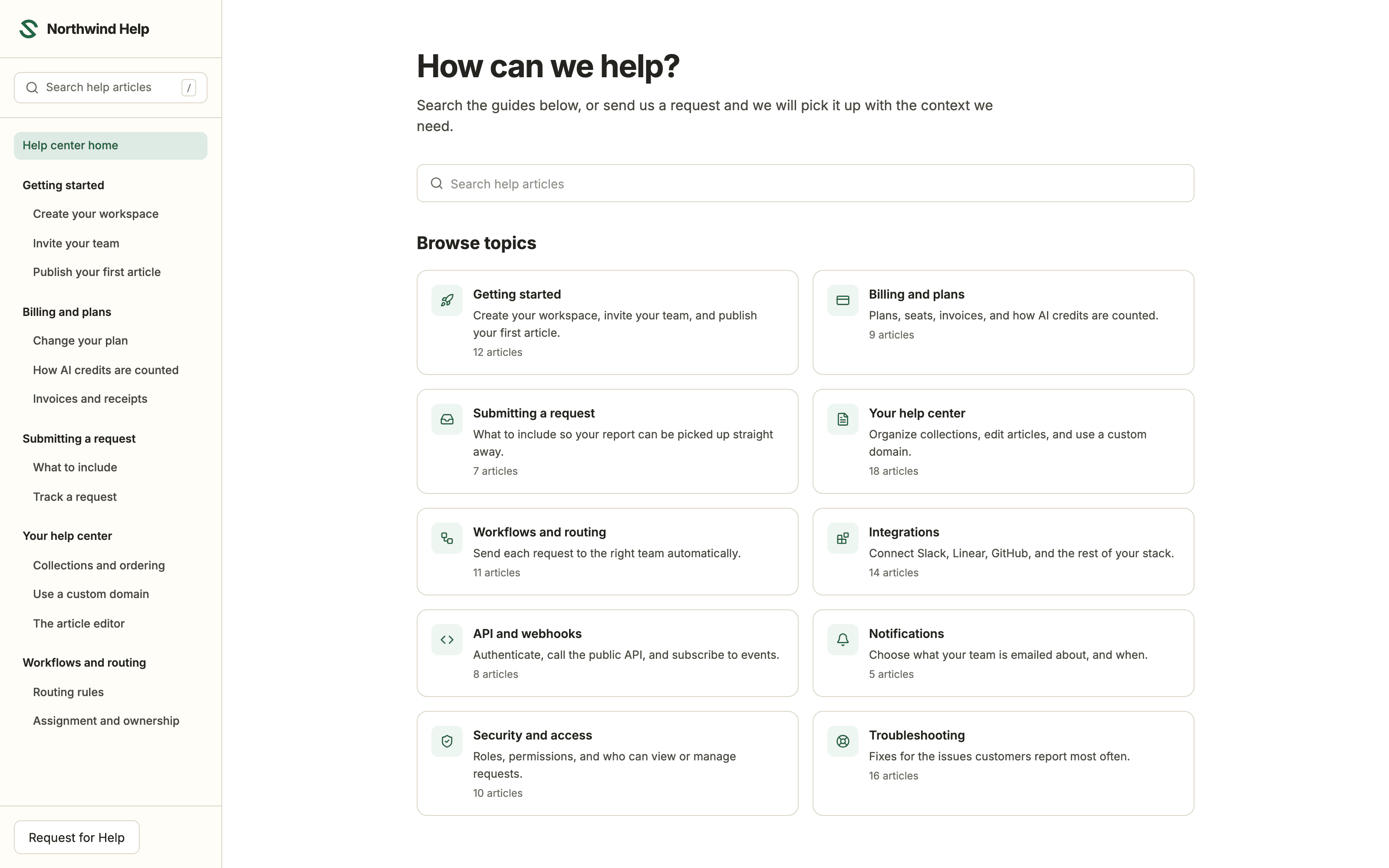
The help center your customers search, with Supa answering questions from your articles on your own domain.
How it works
One editor,
One knowledge base.
Import existing content from PDFs, Word docs, and text files, or start fresh with a new page.
New pages start in Page Storage, outside the navigation. A page reaches readers only when you want to go live.
Maintain the brand throughout your help center with your logo and domain.
What it does
Write the answer once, and take the support load off your team.
Write articles, organize them into topics, and put the site on your own domain.
Writing
Publish without markdown or a deploy
Add headings, screenshots, tables, and video in a block editor.
Drafts stay private
Nothing goes live until you hit publish.
Import what you already have
Upload PDFs, Word docs, and text files, then edit them into articles.
Organizing
Arrange topics once
Your topic tree becomes the sidebar and the breadcrumbs.
Save drafts without publishing
New pages wait in Page Storage until you drag them into a topic.
Article links stay stable
An old link never opens a different article.
Branding
Match your brand
Set your logo, colors, and fonts in settings. No CSS.
Use your own domain
Publish at help.yourcompany.com so the search traffic stays yours.
A front page that points the way
Cards link to getting started, FAQs, or the request form.
Search and reading
Search on every page
Results appear as customers type.
Easy to skim
Each article shows its contents, reading time, and when it was last updated.
AI answers from your articles
Supa, the built-in AI agent, answers customers from your published articles.
Also included. Unlisted pages, ten-file imports, and unlimited articles, topics, and team members on every paid plan.
Who it's for
Why teams need a knowledge base
The support load grows with the product, and only a few people can answer.
SaaS support teams
The same twenty questions arrive every week
Answering each one by hand is the biggest cost in your queue, and only the person who asked ever sees the answer. Write it once as an article and everyone can find it.
Fewer repeat questions in your queue
Product and ops teams
No engineering time to spend on a help site
A help center built as a front-end project needs a repo, a deploy, and a ticket for every typo. Here the navigation, domain, and branding are settings, so whoever knows the answer can publish it.
No repo, deploy, or ticket
Solo founders
Every answer currently lives in your inbox
You are the only support channel, so support scales as far as your day does and no further. Five articles already make a working help center, and you can draft the next twenty without publishing a half-finished site.
Live in an afternoon
Frequently asked questions
Can I import articles from another knowledge base?
Yes. Bring your existing articles over, then organize and refine them in the same workspace where you manage customer requests. You can upload PDF, Word, and text files.
Can customers see unpublished draft articles?
No. Drafts stay private to your team until you publish. Customers see only the last published version.
Can I host the knowledge base on my own domain?
Yes. Publish your help center on your own domain so it feels like part of your product.
Is there a limit on how many articles I can publish?
No. Articles, pages, and team members are unlimited on every paid plan.
Can I set up a knowledge base without a developer?
Yes. Support and product teams can launch and maintain the help center themselves, without waiting on engineering.