
What does HelpKit specialize in?
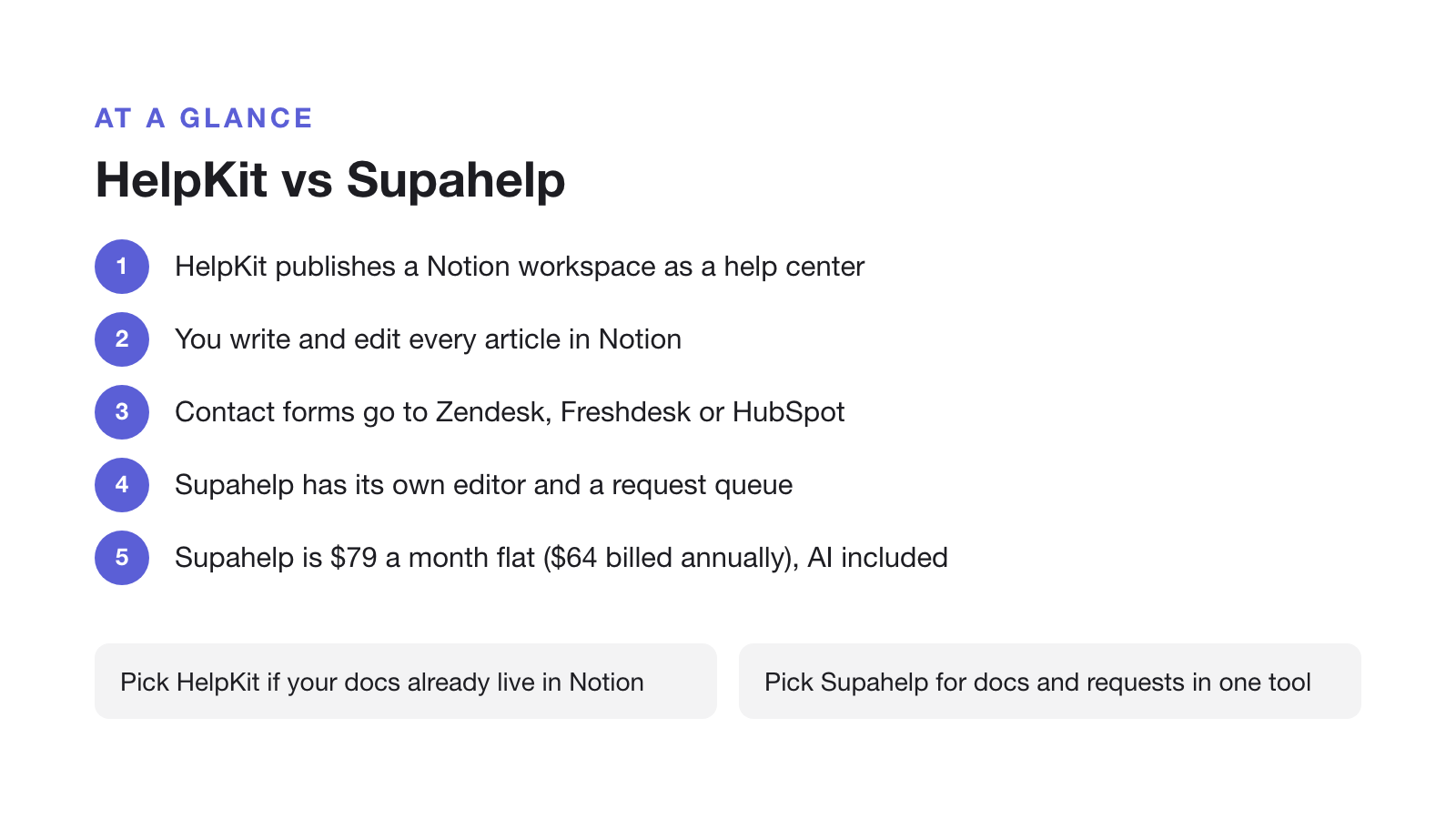
HelpKit is a knowledge base platform that turns an existing Notion workspace into a public, SEO-friendly help center, starting at $15/month per site. It specializes in speed and simplicity for teams that already write their docs in Notion: you duplicate its Notion template, turn on Notion’s “Publish to web” setting, and paste the link into HelpKit, which renders it as a branded site on your own domain. One customer testimonial on HelpKit’s homepage describes going “from 0 to fully functional knowledge-base in 1 hour”. That is one customer’s experience, but it fits how little setup the product asks for.
Its stated ideal customer is a non-technical founder or small team that wants a polished self-service site without an engineering project. That focus is also its boundary: HelpKit’s own blog describes it as “neither a help desk tool nor does it come with a conventional ticketing feature.” It is a knowledge base, and it says so itself. If you are still deciding whether to publish your Notion docs at all, start with what Notion does and does not do as a knowledge base.
Full feature list
Beyond the Notion-to-website conversion, HelpKit supports a fairly complete set of help-center features for a small, focused product:
- Custom domain with SSL, on every plan
- SEO meta tag customization
- Full-text search across tables, toggles, code snippets, and callouts
- HelpKit AI: a chatbot add-on trained on your articles (priced separately, see below)
- Embeddable help widget for in-app support
- Article feedback, search-intent tracking, and an analytics dashboard
- Multi-language versions, on its higher tiers
- Custom CSS and JavaScript injection for branding
- Access protection: password gating, restricted email lists, or custom backend authentication
- Article URL redirects, useful when migrating in from another tool
- Slack notifications, and contact-form forwarding to Zendesk, Freshdesk, or HubSpot
- Mobile SDKs for React Native and Swift
Two things are notably absent from HelpKit’s own site: a public API and team SSO. Neither is advertised on its features or pricing pages, so teams that need either should confirm directly with HelpKit before committing.
HelpKit vs Supahelp: feature and pricing comparison
The two tools solve different problems: HelpKit converts Notion docs into a website. Supahelp connects Supa’s knowledge answers with support requests. Supa also completes team tasks once you approve them. The table below lines up the specifics.
| Feature | HelpKit | Supahelp |
|---|---|---|
| Starting price | $15/mo per site (25 articles, 1 seat) | $79/mo flat, unlimited everything |
| Content source | Must be authored in Notion | Native editor, no Notion required |
| AI search / chat | +$49/mo add-on, on top of any plan | Included in the base price |
| Support request management | Not included. Forwards to Zendesk, Freshdesk or HubSpot | Included alongside the knowledge base |
| Scaling past the top tier | Contact sales for more seats, articles, or languages | Same flat rate, no seat or article cap |
| Custom domain | Included on every plan | Included |
| Free trial | 7 days, no card required | Free forever, no card required |
How does HelpKit pricing scale?
HelpKit prices per site across three tiers: $15/month for 25 articles and one seat, $31/month for 100 articles and three seats, and $79/month for 1,000 articles, two languages, and five seats. Need more articles, languages, seats, or knowledge bases than the top tier allows? HelpKit’s own pricing page asks you to contact sales rather than publishing a higher tier.
The AI chatbot isn’t included in any tier. It is a flat $49/month add-on on top of whichever plan you pick, which puts a single-seat team with AI search at $64/month and a five-seat team with AI search at $128/month. Supahelp charges $79/month flat, with unlimited seats, unlimited articles, and AI search already included, so the gap grows the moment a team wants both more than one seat and AI.
Why HelpKit has no ticket queue
This is not a criticism so much as a direct quote: HelpKit’s own blog states it “is neither a help desk tool nor does it come with a conventional ticketing feature.” Its support docs confirm how it works: a contact-form submission on your HelpKit site is forwarded to Zendesk, Freshdesk, or HubSpot, not handled inside HelpKit itself. If you do not already run one of those tools, every question your knowledge base cannot answer has nowhere to land inside the product.
That gap matters because self-service rarely covers everything. A June 2025 Gartner survey of 5,801 customers found that most agents still fail to point customers toward self-service in the first place. So even a well-built knowledge base needs a working handoff to a person for the questions it cannot resolve. Supahelp keeps that handoff in the same product as the articles themselves.
Choose HelpKit if / choose Supahelp if
HelpKit is a well-built product for what it sets out to do. Whether it fits comes down to what your team already has and what it still needs.
Choose HelpKit if: your documentation already lives in Notion, a non-technical person owns the docs, you want a live help center within a day with no engineering time, and you either do not need ticket management yet or already pay for Zendesk, Freshdesk, or HubSpot separately. HelpKit holds a 5.0-star rating on Product Hunt from early reviewers who specifically praised its speed and design, so this is a genuinely well-liked product within that use case.
Choose Supahelp if: you want one flat-rate tool that covers both the knowledge base and the support-request queue, you do not want your help center’s content locked to Notion’s block editor, you want AI search included rather than a $49/month add-on, or you are past a couple of seats and do not want a “contact sales” wall.
Migrating from HelpKit to Supahelp
Because HelpKit’s content lives in Notion rather than a proprietary editor, moving off it mostly means deciding where that content lives next.
- Keep Notion as your internal source, for now
You don't need to touch your existing Notion docs on day one. Export or copy the customer-facing pages you want live first.
- Bring articles into Supahelp
Paste or import the exported content into Supahelp's own editor so your help center no longer depends on a connected Notion page staying published.
- Re-point your custom domain
Update the CNAME your help center domain uses so existing links keep working once you cut over from HelpKit.
- Turn on support request management
Questions that used to go through a contact form now land in a queue your team can assign and track, instead of a forwarded email.
If you are weighing more than one knowledge base tool, see how a seat-capped platform compares in Helpjuice Alternative: A Cheaper, All-in-One Knowledge Base, how an AI doc generator compares in Instadocs Alternative: An AI Doc Writer vs an All-in-One Help Center, or how shared inboxes compare in our roundup of Help Scout alternatives.