What counts as customer service software for a small business?
Customer service software for a small business is any tool that helps a small team collect customer questions, answer them consistently, and cut down the repeats. It comes in four main shapes:
- Shared inbox: turns a team email address into an assignable queue with notes and saved replies. Best for conversational, email-first support.
- Help desk with ticketing: multichannel queues, automations, SLAs, routing. Built for higher volume across email, chat, and phone.
- Help center or knowledge base: a searchable site of articles that answers questions before they reach a person.
- Live chat: real-time messaging on your site, strongest for pre-sale questions.
Some tools bundle several shapes. The useful question is not “which brand” but “which shape,” and that follows from where your questions come from.
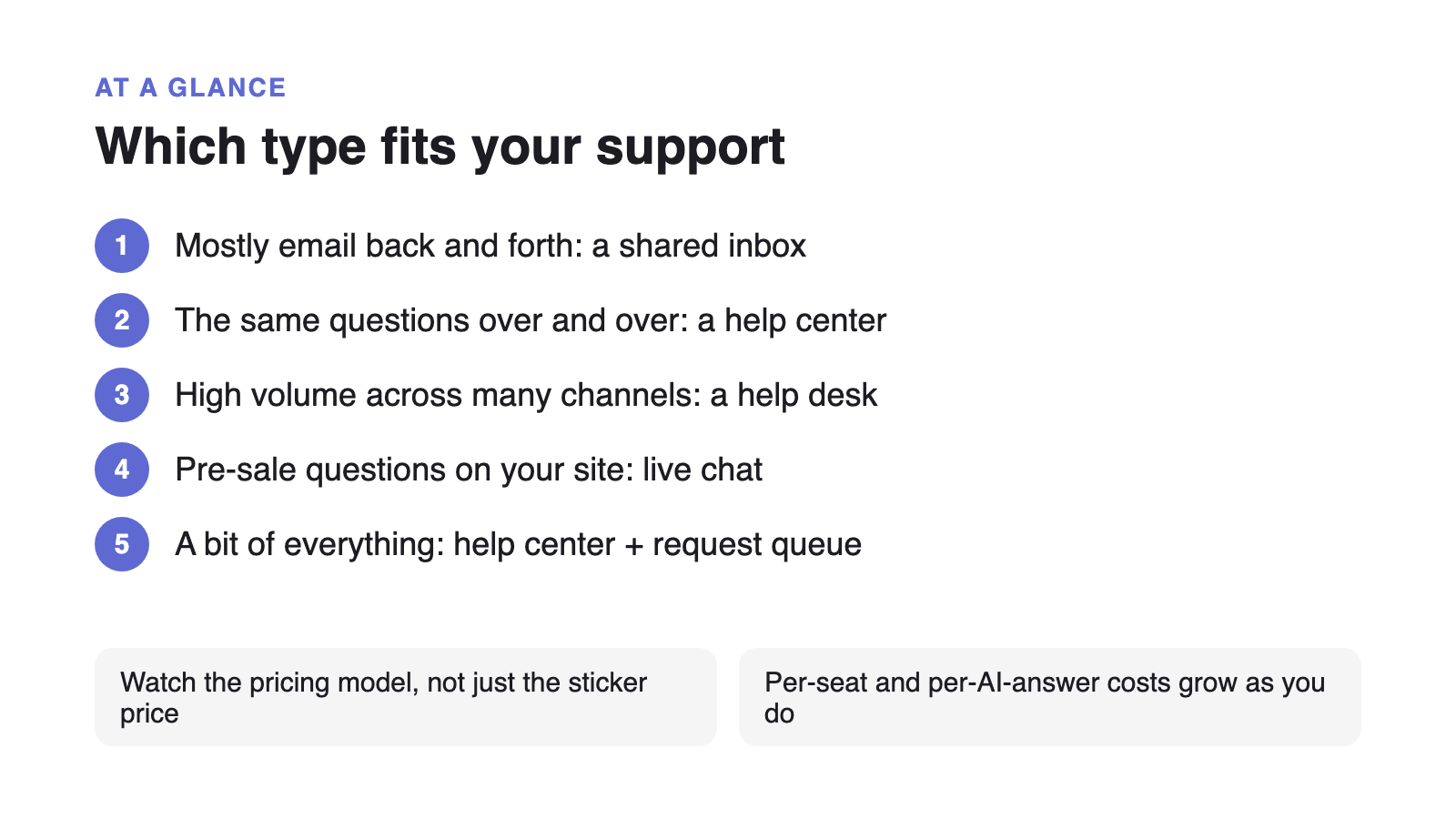
Which type fits your support?
| Where your questions come from | Best-fit shape | Why |
|---|---|---|
| Mostly email, threads that go back and forth | Shared inbox | Conversational cases need ownership and history more than tickets or automation. |
| A short list of questions asked over and over | Help center / knowledge base | The cheapest ticket is the one a customer answers themselves before contacting you. |
| Email, chat, phone, and social all at once, high volume | Help desk with ticketing | Routing, SLAs, and automation are worth the setup only once volume is genuinely high. |
| Buyers asking pre-sale questions on your site | Live chat | Synchronous help converts time-sensitive intent that a queue would lose. |
| A bit of everything, small team, growing unevenly | Help center + request queue, flat rate | Deflects repeats, keeps the rest in one queue, and the price does not move with headcount. |
What being a small business changes about the decision
The feature comparisons are written for support organizations with a dedicated admin and a training budget. A small team has neither, so two things outweigh the feature list: how fast you can get it running, and whether the price stays predictable as you grow.
AI changes the math in a small team’s favour. Salesforce’s seventh State of Service report, a survey of 6,500 service professionals across 39 countries conducted in 2025, found teams estimate AI already handles 30% of cases and expect that to reach 50% by 2027, with reps who use AI spending about 20% less time on routine cases. For a small business that translates directly: answer more without hiring.
In practice, five things decide whether a tool works for a small team.
- Time to live
A small team has no implementation window. If it cannot be running the same week, it is the wrong tool.
- The pricing model, as well as the sticker price
Per-seat plus per-resolution AI both scale against a growing team. A flat rate keeps the bill predictable.
- One queue with real statuses
Open, waiting, resolved, and an owner. This is the difference between a system and an inbox.
- Self-service that is actually part of the product
A knowledge base bolted on as an afterthought does not get maintained. It should sit next to the queue.
- Skip the enterprise checklist
SLAs, skills-based routing, omnichannel, and CSAT survey programs are year-three problems, not year-one ones.
The pricing trap to watch for
Most customer service tools charge per agent per month, commonly $19 to $130 a seat, with AI billed separately, either as a per-agent add-on or per resolution. Both meters work against a small business. Per-seat pricing makes you ration who can see a ticket; per-resolution AI means a help center that gets better costs you more.
Supahelp Essential costs $79/month for your whole team, or $64/month billed annually, with no separate AI add-on. Its 5,000 monthly AI credits cover 500 successful AI answers if used only for chat. Summaries and related-request searches share that allowance. See how per-seat models add up in Intercom Alternative and Zendesk Alternative, or the checklist of what a small team can safely skip in year one.
Why self-service comes first, whichever tool you pick
Every shape above gets cheaper to run when fewer questions reach a person. Gartner’s August 2024 survey of 5,728 customers found 73% use self-service but only 14% of issues fully resolve there, so the opportunity is large and mostly unrealised. Closing that gap is a structure problem, and working the repeat questions in order of frequency is the highest-return thing a small support team can do.