What is a knowledge base?
A knowledge base is an organized, searchable collection of articles that answers recurring questions without a person having to answer them again. Each article covers one question, states the answer near the top, carries a last-updated date, and has someone responsible for keeping it true.
That definition is deliberately narrow. A knowledge base is not a folder of documents, and it is not a chat history that happens to contain answers. The test is whether someone who has never met your team can arrive with a question and leave with an answer, without interrupting anyone. If a human still has to route the question, what you have is storage.
The word has a second life in computer science, where a knowledge base is the fact store an expert system reasons over. That older sense is why the term feels slippery today. It never only meant help articles.
Why the same word means three different things
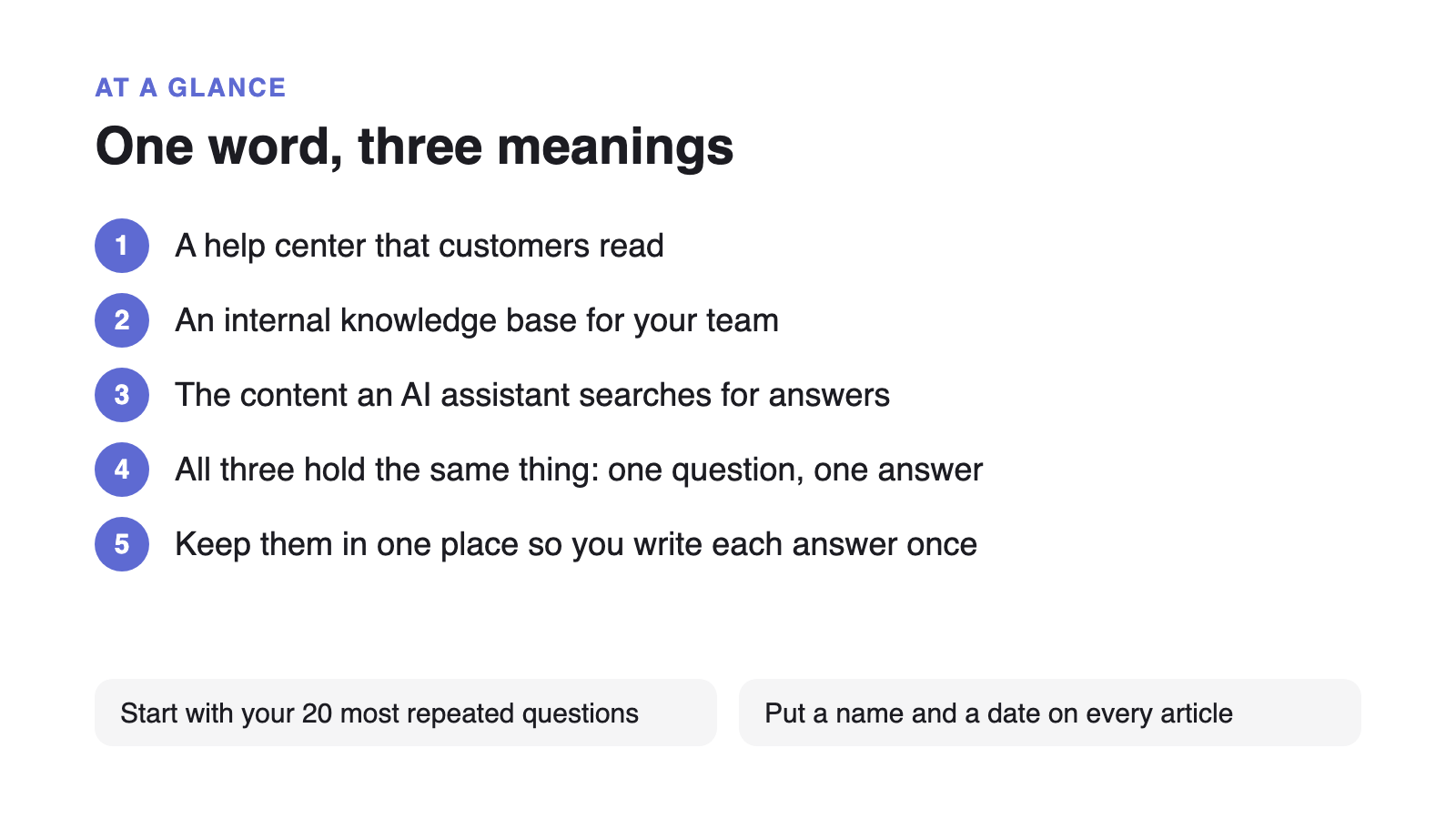
Three groups adopted the phrase independently, and they mean three different systems by it. Support teams mean the public help center customers read. Operations and IT teams mean the internal wiki employees read. Engineers building with large language models mean the indexed corpus a retrieval system searches before the model writes an answer. All three are called a knowledge base, and none of them is wrong.
A definitional query outranking every commercial query by that margin is not a sign that the concept is new. Knowledge bases have been sold for thirty years. It is a sign that people keep hearing the word used to mean something other than what they thought it meant, and go looking for the difference.
1. The customer-facing knowledge base
A customer-facing knowledge base is the public help center your customers search before they contact you. It holds how-to articles, troubleshooting steps, billing explanations and policy pages, written in the language customers use rather than the language your product team uses. Its job is deflection: every article that answers a question well is a support request that never gets filed.
2. The internal knowledge base
An internal knowledge base is the same idea pointed at employees. It holds onboarding guides, IT runbooks, HR policies, approval processes and the answers to whatever gets asked in a company chat channel every Monday. Its job is to stop senior people spending their week as a lookup service. Teams often build this one second, on a different tool, after the help center already exists.
3. The AI retrieval knowledge base
In an AI context, a knowledge base is the indexed set of documents a retrieval system searches to ground a model’s answer, the “R” in retrieval-augmented generation. Nobody reads it directly. It is split into passages, embedded, and searched by similarity at the moment a question is asked. This is the sense AWS Bedrock, Azure AI Search and most vector database vendors use, and it is the one that has pulled newcomers into the term since 2024.
The three senses share a substrate, which is why the confusion persists. The table below is the disambiguation most people are actually looking for.
| Term | Who it serves | What it actually is |
|---|---|---|
| Knowledge base (help center sense) | Customers | Published articles that answer product questions so the customer never has to file a request. |
| Internal knowledge base | Employees | Policies, runbooks and onboarding answers behind a login, for questions asked from inside the company. |
| Knowledge base (AI retrieval sense) | A retrieval system | An indexed corpus split into passages and searched by similarity. Nobody reads it; a model quotes from it. |
| Wiki | Contributors | A page tree anyone can edit, organized around what writers want to write instead of what readers come asking. |
| FAQ page | Nobody, in practice | One page holding many short answers. It competes with your own articles for the same queries and goes stale quietly. |
| Knowledge management system | The organization | The umbrella process for capturing, reviewing and retiring knowledge. A knowledge base is the artifact it produces. |
What goes into a knowledge base?
A knowledge base holds answers to questions that have already been asked more than once. That is the entire admission criterion, and it is stricter than it sounds. Most teams fill theirs with documents that nobody asked for, then conclude the knowledge base does not work.
Five article types cover almost all real demand: how-to articles for a task with steps, troubleshooting articles for an error or unexpected state, policy articles for rules with edge cases, reference articles for values people look up rather than read, and concept articles for the handful of ideas a newcomer needs before the rest makes sense. Anything that does not fit one of those five is usually a document, and documents belong somewhere else.
The sequencing that works is to log questions for a month before writing anything, sort by frequency, and write the top twenty. This is the opposite of the instinct to migrate everything you have, and it is why teams who start from a Notion workspace they already filled usually have to prune before they publish.
Why the three senses are collapsing into one
The three senses are converging because an AI assistant retrieves from whatever is published, regardless of which audience it was written for. Once a help center is indexed by a model, the distinction between a customer article, an internal runbook and a retrieval corpus becomes a permissions question rather than an architectural one. The same article serves all three if it is written to be quoted.
This has a measurable cost when it goes wrong. An April 2026 Seer Interactive study of 53 brands across 5.47 million tracked queries found that when a Google AI Overview appears and does not cite the brand, organic click-through rate drops 67% compared to being the cited source. A help center that assistants cannot quote cleanly loses the traffic to one that they can, including a competitor’s.
The practical consequence is that the structural rules for the three senses turned out to be the same rules. One question per article, the answer in the first forty words, headings phrased the way people ask, and no sentence that depends on the paragraph above it. Those rules were written for skim-readers and they happen to be exactly what retrieval needs in order to quote you correctly.
How do you build a knowledge base?
Build a knowledge base by writing the twenty answers you already give most often, then putting them somewhere searchable with a visible owner and date. The tooling decision matters less than most vendor comparisons imply, and it matters far less than the decision to log questions before you start writing.
- Log every repeat question for four weeks
Tag questions as they arrive, in the inbox and in chat. You are looking for frequency, not for the interesting ones. Most teams find the top twenty questions cover well over half of all volume.
- Write those twenty, one question per article
If a title needs an “and”, it is two articles. Answer in the first forty words, then put the context, caveats and screenshots underneath.
- Use the words the asker used
Title it “Why is my invoice different this month” rather than “Proration policy”. Your search logs and ticket subject lines already contain the phrasing.
- Decide visibility once, at article level
Pick which articles are public, which need a login and which are internal only. Doing this per article is what keeps one set of content serving customers and staff.
- Put a name and a date on every article
An owner and a visible last-updated date are what make quarterly review actually happen. Both are also extractable signals for an assistant deciding whether to trust the passage.
The step teams skip is the last one. A knowledge base with no review cycle is worse than none, because a stale answer gets retrieved, quoted and believed with exactly the same confidence as a current one.
If you are choosing a tool at this point, the question worth asking is whether it serves customers and employees from one set of articles or expects you to maintain two. Most platforms price the internal and external halves separately, which is where the per-seat and per-tier pricing comparisons start to matter. Teams still running support out of an inbox usually want to fix the request queue and the knowledge base together, since the queue is where the next twenty articles come from.